
Rocktab U210 Pro
To remove the battery, proceed as follows:
- Unlock the battery lock (number 2 in the operating and display elements diagram). To do this, press the button in the centre of the lock and slide the lock in the direction of the symbol with the open lock.
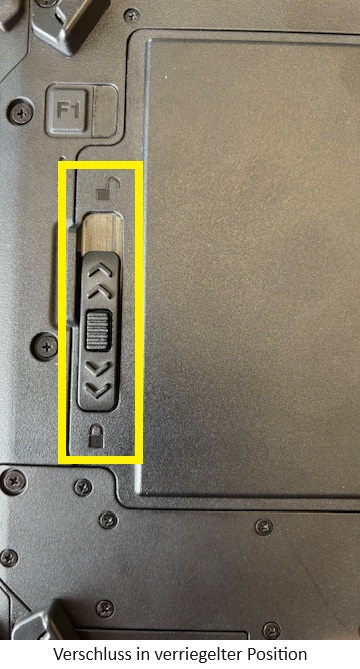
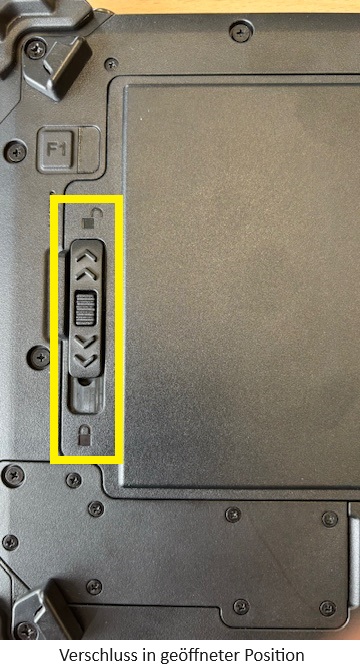
- You can now remove the battery. To do this, lift it by the tab and remove it.
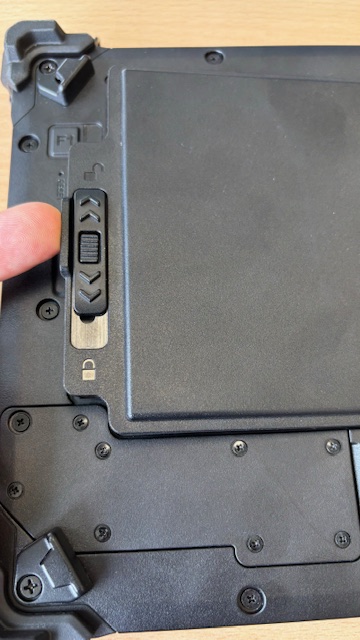
- Insert the new battery. If necessary, carefully press it into the correct position.
- Slide the lock in the direction of the closed lock symbol to lock it. You should hear a loud click. The battery is now inserted correctly.